
For event photographers in Thailand
Every photo,
to every guest,
in seconds
Send photos from your camera, computer or phone while you shoot. Guests scan a QR code, take a selfie and find their own photos. No app to install.
Guest pages open in English or Thai, based on the phone's language.
Product walkthrough
Guests find their photos in 3 steps
01Scan QR
Smile's birthday party
29 Dec 2026 · 248 photos






02Selfie

Place your face in the circle
03Download
12 photos of you





From camera to phone in real time
Send by camera FTP, computer or phone. Photos appear in the gallery by themselves.
Everyone finds their photos
By face, by bib number, or by scanning the QR code on a printed photo.
Every photo carries your brand
Watermark, logo, frame, and your own studio shop page.
How it works
Three simple steps
You focus on shooting. The system does the rest.
Step 1
Create an event
You get a link and a QR code right away. Set your watermark before you start.
Step 2
Shoot and send
Photos go in during the event: from your camera by FTP, from your computer, or from your phone.
Step 3
Guests find their photos
They scan the QR code, take a selfie (or type their bib number) and download.
Any device
One phone is enough.
Shoot, and it's in the event.
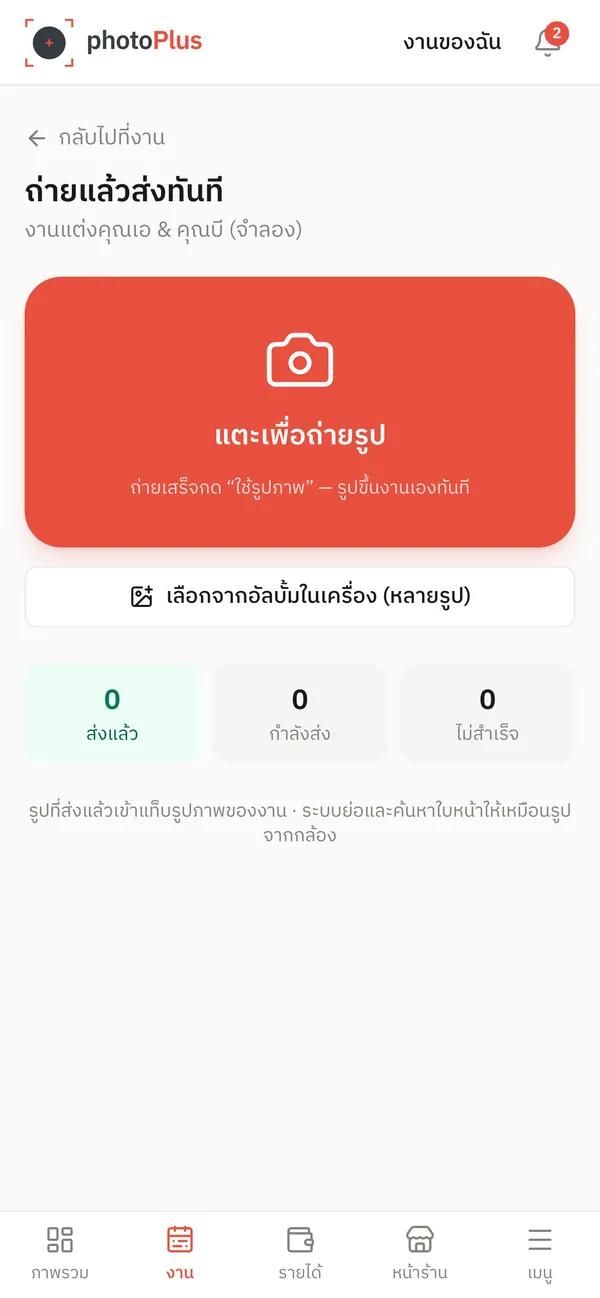
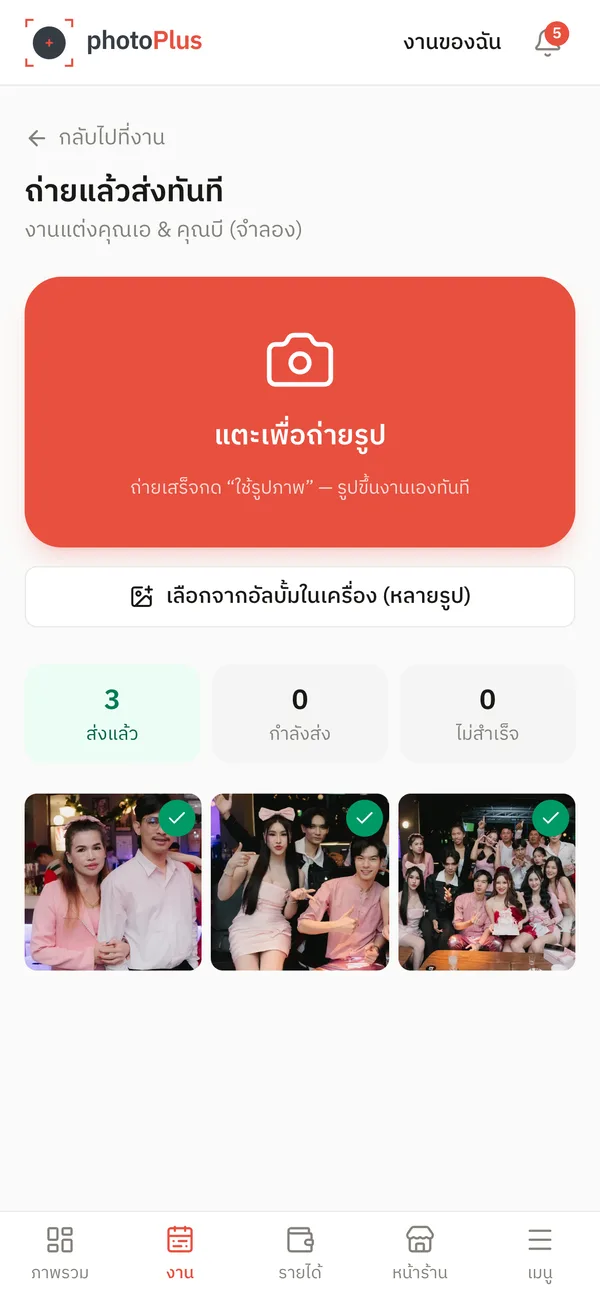
Small events, company events, or extra shots on the day: use just your phone. Guests can search these photos by face too. Mix several ways in the same event.
Phone: shoot and send
Tap to shoot in the web page. Photos go into the event. No app.
Camera: send by FTP
Set up the camera once and use it at every event.
Computer: upload or watch a folder
Export from Lightroom and the photos go up by themselves.
Real event
A gallery your guests will love
Clean and fast on any phone. Add your own watermark and logo.
Features
Everything an event needs
One place for solo photographers and studios.
Send from your camera (FTP)
Canon, Nikon, Sony and other cameras with FTP send over Wi-Fi or a phone hotspot. Set up the camera once.
Send from your computer
Drag and drop files, or let the browser watch a folder (for example your Lightroom export) and upload new photos.
Send from your phone
Take photos in the web page and they go straight into the event. No app needed.
Face search
Guests take one selfie and see every photo they are in. Selfies are not stored.
Bib number search
For running events: bib numbers are read automatically. Runners type their number to find photos.
No app for guests
Guests open the gallery in the phone browser, on iPhone or Android.
Watermark and frame
Add your logo, text or a frame to every photo automatically. You can change it later.
Your shop page
A studio website at yourname.photoplus.online to show your work.
Sell photos
Buyers pay you directly by PromptPay QR and you confirm the order. Needs seller ID verification first.
Send photos to LINE
Guests can send their photos to LINE (uses 1 token per message).
Shop page
Show your work on your own shop page
yourname.photoplus.online with your gallery, packages and a booking form. Included with monthly and yearly plans. See real shops from photographers using photoPlus:
Pricing
Simple prices in Thai baht
Monthly plans with no contract and no automatic charge: renew when you are ready. Shoot only now and then? Pay per event.
Pay by PromptPay QR. Prices in ฿ (THB).
Free trial for new studios
0 ฿Starter plan for 30 days
No card needed, no automatic charge. Verify your phone number or LINE first, then claim it on the billing page. One per studio, until 31 Dec 2026.
Plans
Starter
199 ฿299 ฿/ month
Launch offer-33%
Sign up now and keep this price for 6 months
Until 31 Mar 2027
- 10 GB photo storage
- Face search: 3,000 photos / month
- Team: 1 person
- Each event open up to 30 days
- Watermark · FTP · bib search · shop page
Pro
499 ฿790 ฿/ month
Launch offer-36%
Sign up now and keep this price for 6 months
Until 31 Mar 2027
- 50 GB photo storage
- Face search: 10,000 photos / month
- Team: 3 people
- Each event open up to 60 days
- Watermark · FTP · bib search · shop page
Studio
5,990 ฿7,900 ฿/ year
Launch offer-24%
Sign up now and keep this price for 6 months
Until 31 Mar 2027
- 200 GB photo storage
- Face search: 15,000 photos / month
- Team: 10 people
- Each event open up to 90 days
- Watermark · FTP · bib search · shop page
ProMax
599 ฿949 ฿/ month
Launch offer-36%
Sign up now and keep this price for 6 months
Until 31 Mar 2027
- 50 GB photo storage
- 20 GB highlight video (separate from photos)
- Face search: 10,000 photos / month
- Team: 3 people
- Each event open up to 60 days
- Watermark · FTP · bib search · shop page
ProMax Plus
990 ฿1,490 ฿/ month
Launch offer-33%
Sign up now and keep this price for 6 months
Until 31 Mar 2027
- 100 GB photo storage
- 20 GB highlight video (separate from photos)
- Face search: 30,000 photos / month
- Team: 3 people
- Each event open up to 60 days
- Watermark · FTP · bib search · shop page
Studio ProMax
7,490 ฿9,900 ฿/ year
Launch offer-24%
Sign up now and keep this price for 6 months
Until 31 Mar 2027
- 200 GB photo storage
- 60 GB highlight video (separate from photos)
- Face search: 15,000 photos / month
- Team: 10 people
- Each event open up to 90 days
- Watermark · FTP · bib search · shop page
Pay per event
One-time packs of events. No monthly fee.
S (1 event)
149 ฿199 ฿
Launch offer
- Up to 1,000 photos per event
- Open to guests 15 days per event
M (2 events)
229 ฿299 ฿
Launch offer
- Up to 1,500 photos per event
- Open to guests 20 days per event
- Create the other events within 30 days
L (3 events)
299 ฿399 ฿
Launch offer
- Up to 2,000 photos per event
- Open to guests 25 days per event
- Create the other events within 30 days
Extra face search tokens
1 token = face processing for 1 photo, used once at upload (photos with no faces are free). Guests search for free, without limit. Tokens work for all events and do not expire.
+500 tokens
99 ฿
+1,000 tokens
119 ฿149 ฿
Launch offer
+3,000 tokens
319 ฿399 ฿
Launch offer
+10,000 tokens
949 ฿1,190 ฿
Launch offer
FAQ
Questions
Is the photographer dashboard in English?
Not yet. The photographer dashboard is in Thai for now. Your browser's translate feature (for example in Chrome) works well with it. Guest pages are in English.
Can I get help in English?
Yes. Email [email protected] in English and we will reply in English.
Which language do guests see?
Guest pages open in English or Thai automatically, based on the phone's language.
Do guests need to install an app?
No. They scan the QR code and open the gallery in the phone browser, on iPhone or Android.
Are selfies stored?
No. The selfie is only used to match faces in that event and is not saved. Guests must agree before they search.
Which cameras can send photos by FTP?
Cameras with an FTP transfer menu, for example Canon EOS R, Nikon Z and Sony Alpha. Connect the camera to Wi-Fi or a phone hotspot and enter the server, username and password from the dashboard.
Is there a free trial?
New studios can try the Starter plan free for 30 days, one time per studio, until 31 Dec 2026. No card is needed and there is no automatic charge. Verify your phone number or LINE first.
How do I pay?
By PromptPay QR. Monthly plans are not charged automatically: you renew when you are ready.
Can I sell photos?
Yes, with a monthly or yearly plan. Buyers pay you directly by PromptPay QR and you confirm the order. photoPlus takes no commission. Selling photos requires seller ID verification with a Thai ID card.
Ready to give every guest their photos?
Sign up in a minute and create your first event.